
Overview
The Property Card is the main interface for viewing and managing individual property records in Wise Property Manager. It provides a comprehensive view of property information, ownership details, tax assessments, and related transactions.
Location: Search for "Property" or access from the Property List by selecting a property record.
Purpose: View property details, manage ownership information, access tax entries and assessments, and perform manual corrections.
Key Fields & Actions
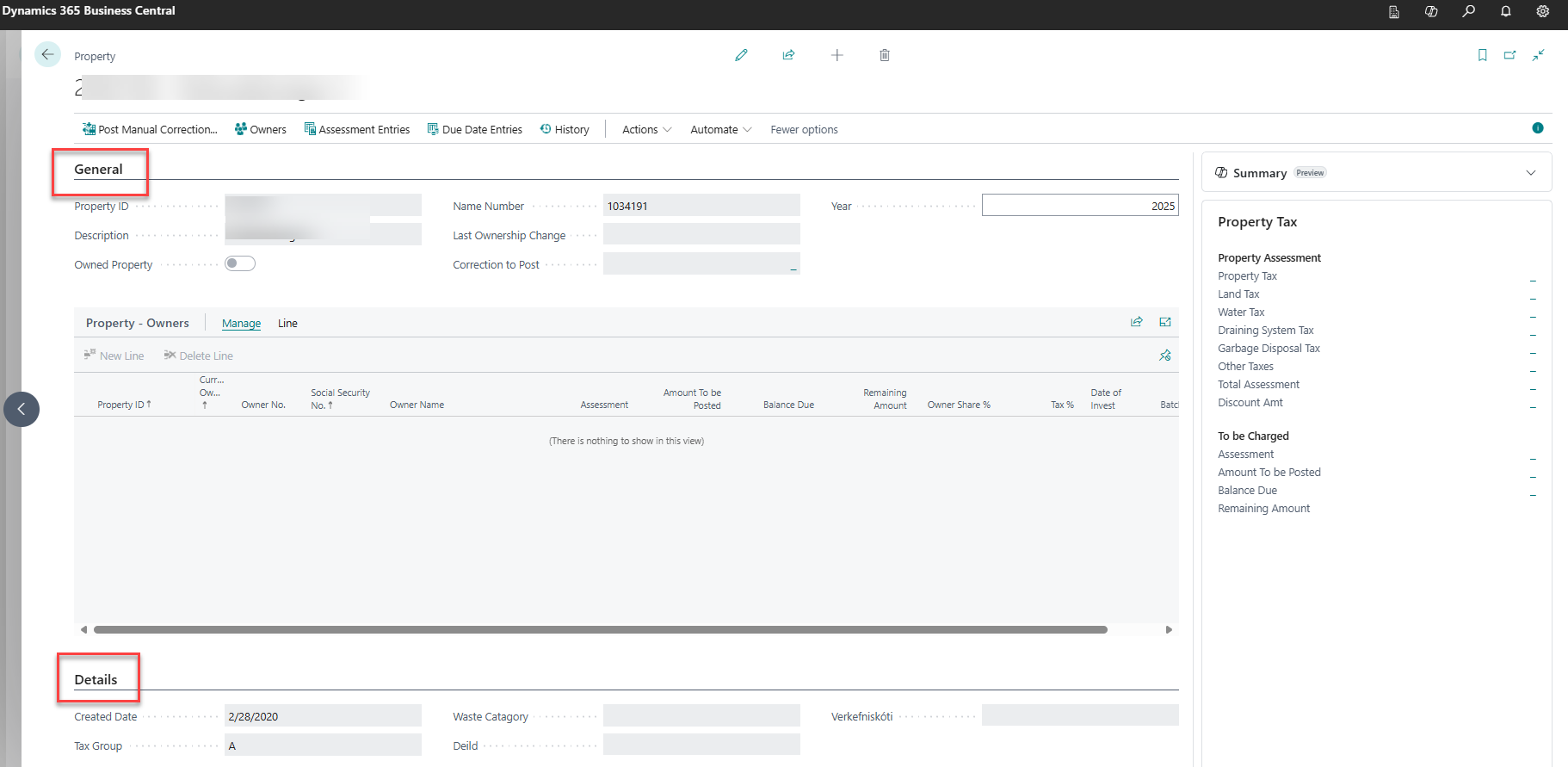
General Section
|
Field |
Description |
Editable |
|---|---|---|
|
Property ID |
Unique property identifier from land registry |
Limited* |
|
Description |
Property address or description |
Limited* |
|
Owned Property |
Checkbox indicating municipality-owned property |
Limited* |
|
Location ID |
Reference to property location record |
Limited* |
|
Last Ownership Change |
Date of most recent ownership transfer |
Read-only |
|
Correction to Post |
Indicates pending manual correction |
Read-only |
|
Year |
Filter for tax year display (default: current year) |
Yes |
*Fields become editable when "Open fields for edit" action is used (Ctrl+F3)
Details Section
|
Field |
Description |
|---|---|
|
Date Created |
When property record was first created |
|
Tax Group |
Classification for tax calculation purposes |
|
Waste Category |
Garbage disposal tax category |
|
Global Dimension 1 Code |
Business dimension (e.g., department) |
|
Global Dimension 2 Code |
Additional dimension (e.g., project) |
Property Owners Subpage
Displays current ownership information filtered by the selected year:
-
Owner ID and details
-
Ownership percentage
-
Current owner status
-
Tax responsibility
Main Actions
Navigation Actions
|
Action |
Description |
Shortcut |
|---|---|---|
|
Owners |
View detailed property owners list |
|
|
Assessment Entries |
View all tax assessments for this property |
|
|
Due Date Entries |
View payment due dates and posted amounts |
Ctrl+F7 |
|
History |
View import batch history for this property |
|
Processing Actions
|
Action |
Description |
Shortcut |
|---|---|---|
|
Post Manual Correction |
Create and post manual tax adjustments |
|
|
Open fields for edit |
Enable editing of protected fields |
Ctrl+F3 |
Step-by-Step Tasks
View Property Information
-
Search for "Property" in Business Central
-
Select Property Card from search results
-
Enter Property ID or use lookup to find property
-
Review General section for basic property details
-
Check Details section for tax classifications and dimensions
View Current Owners
-
On Property Card, the Property Owners subpage shows current ownership
-
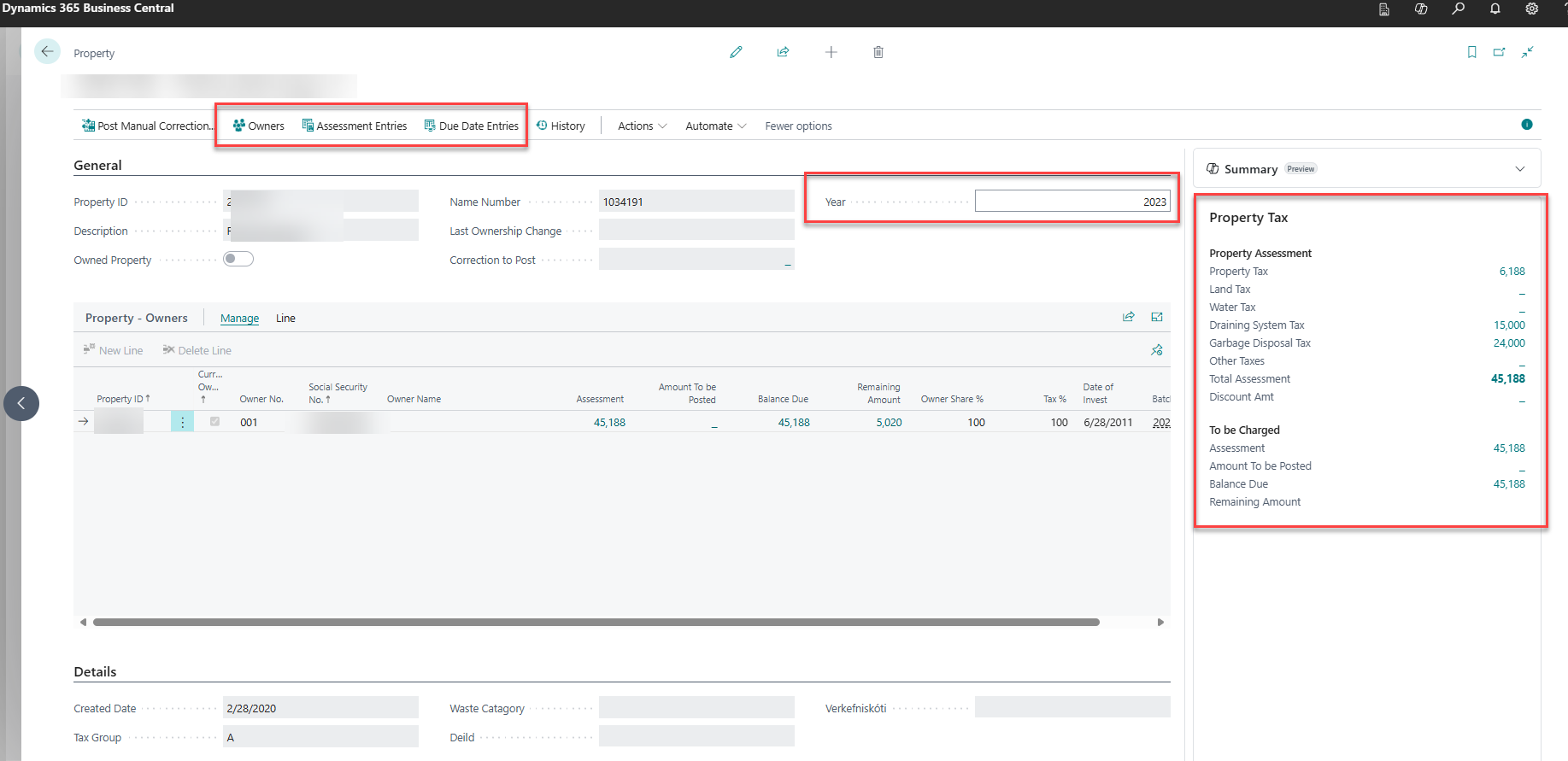
Use the Year field to filter owners by tax year
-
For detailed owner view, click Owners action button
-
Review ownership percentages and current owner status
Access Tax Information
-
Assessment Entries: Click to view all tax assessments
-
Due Date Entries: Click to view payment schedules (Ctrl+F7)
-
Use the Property Tax factbox on the right for summary information
-
Filter by year using the Year field
Make Field Changes
-
Click Open fields for edit (Ctrl+F3)
-
Edit allowed fields: Property ID, Description, Location ID, Tax Group, Dimensions
-
Changes are saved automatically
-
Fields will lock again when you leave the page
Post Manual Corrections
-
Click Post Manual Correction action
-
Select tax type and enter correction amount
-
Provide reason/description for the correction
-
Post the correction to create adjustment entries
Common Errors & Fixes
"Property cannot be modified"
Cause: Fields are locked for data integrity
Fix: Use Open fields for edit action (Ctrl+F3) to enable editing
"No ownership information displayed"
Cause: Year filter may be set incorrectly
Fix: Check Year field - clear it to view all years or set to specific year
"Cannot post manual correction"
Cause: Missing posting setup or insufficient permissions
Fix:
-
Verify Property Taxes Setup is configured
-
Check user permissions include SVEFAST FASTEIGNAGJÖLD
-
Ensure posting date is within allowed date range
"Assessment entries not visible"
Cause: Property may not have tax assessments for selected year
Fix:
-
Clear year filter to view all assessments
-
Check if property has been imported from land registry
-
Verify property has been assessed for the selected tax year
Related Pages
-
Property List - View all properties
-
Property Owners - Detailed ownership management
-
Assessment Entries - Tax assessment details
-
Tax Entries - Payment due dates and amounts
-
Post Manual Correction - Manual adjustment interface
-
Property Factbox - Tax summary information
Navigation Path: Municipality Systems - Wise Property Manager
Permissions Required: SVEFAST FASTEIGNAGJÖLD (read), WISELCS BASIC
Related Tables: SveFast Property, SveFast Property Owner