
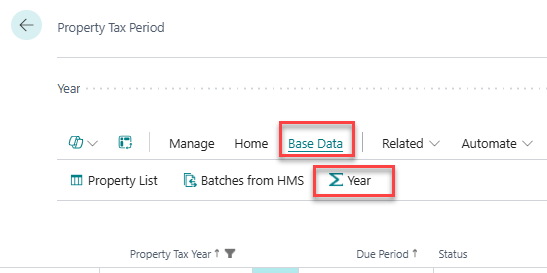
To get an overview of the property taxes for each year, go to the Property Tax Period and open the view for Year, under Base Data.
For each year, there is a summary with information about the total property tax for the year. At the bottom of that list, there is a small reconciliation section that can be used to balance the property taxes for the year.
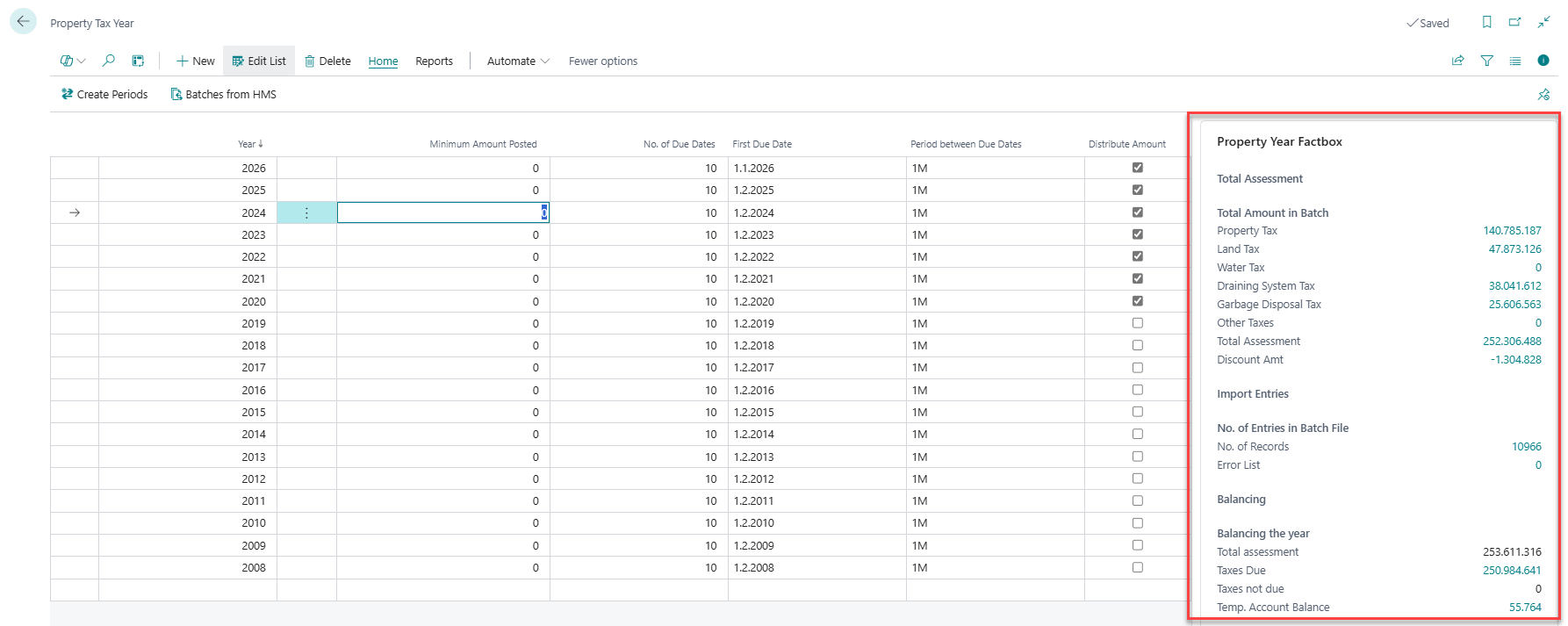
If all due dates for the year have passed, then the Total Assessment and the Taxes Due should be the same amount. Taxes Not Due amount and Temp. account Balance should then be zero. While the due dates have not yet passed, the sum of the Taxes Due and Taxes Not Due should equal the Assessment. The Temp. Account Balance and the Taxes Not Due amount should be the same.
The rule is that at the end of the year, the Temp Account Balance should be zero. If the temp account balance is incorrect, it is most likely because something other than entries from the Property Manager has been posted to that account. Wise employees can assist with further reconciliation of any discrepancies that may arise.