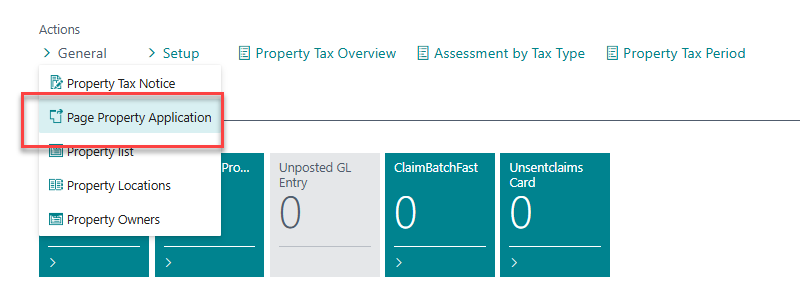
The Property Application feature is a function in the system that we want to specifically highlight to users. It allows you to set up common responses to inquiries from property owners and use the system to generate a standardized reply to the inquiry. The page is accessed by clicking on General > Property Application.
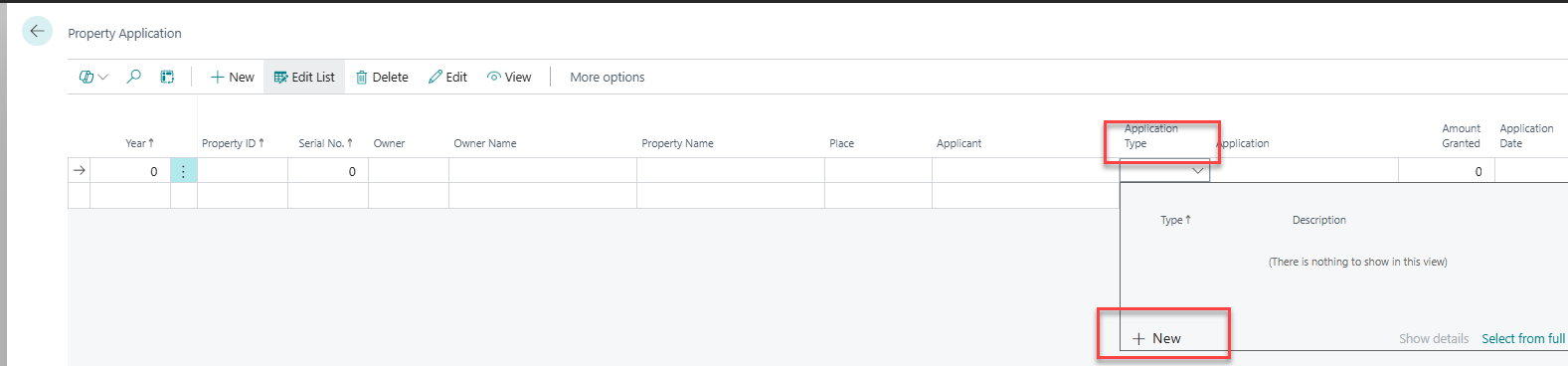
If the function is being used for the first time, you need to set up the Application Type first. Navigate to the Application Type field and click on New.
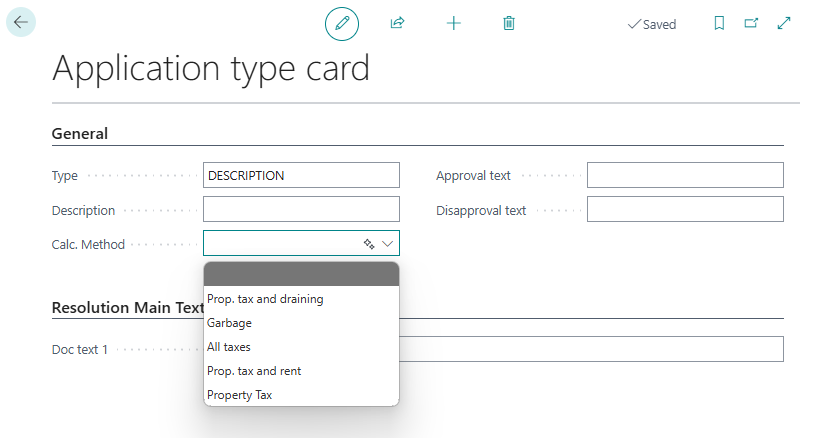
There you enter a title/type for the inquiry, a description, a calculation method, and the text.
Once the application types have been created, click the New button in the Property Application window to create a new inquiry.
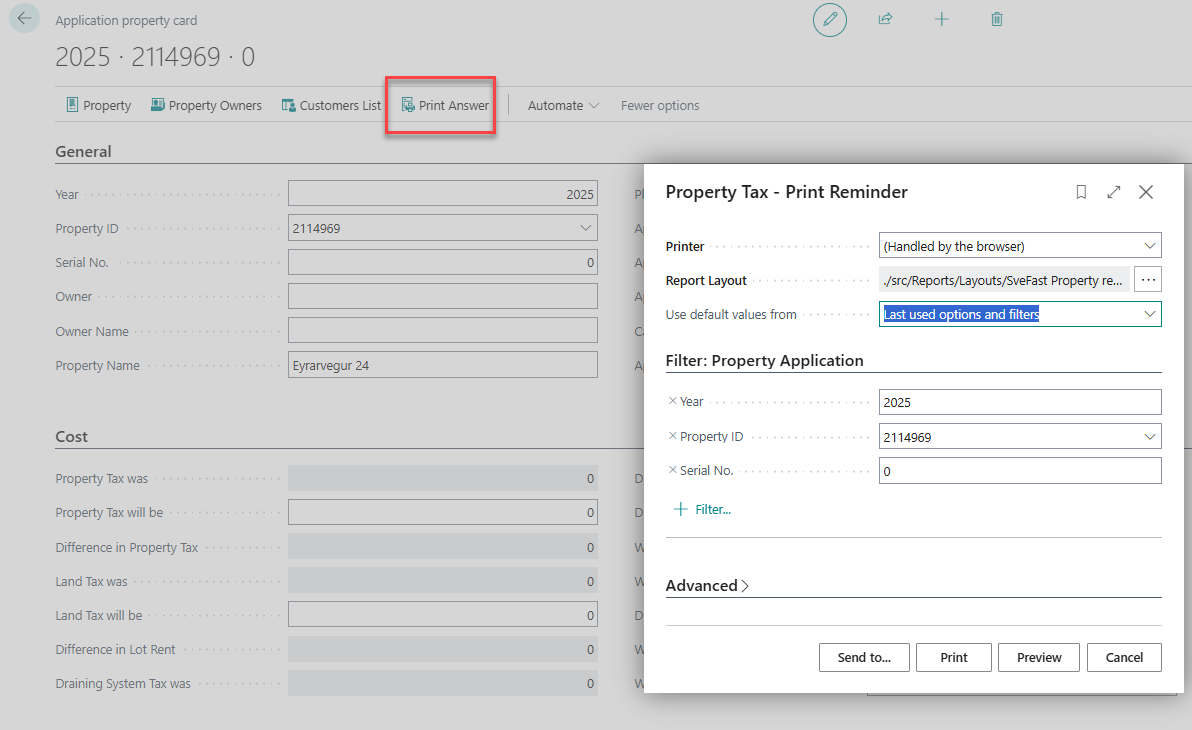
In the inquiry, you enter the year, property ID, and Application Type. The rest is filled in automatically. On the card, you can view the inquiry, choose whether it is approved or rejected, and see the calculation of the change in the charges. You can also enter a case number from the municipality’s case management system and much more.
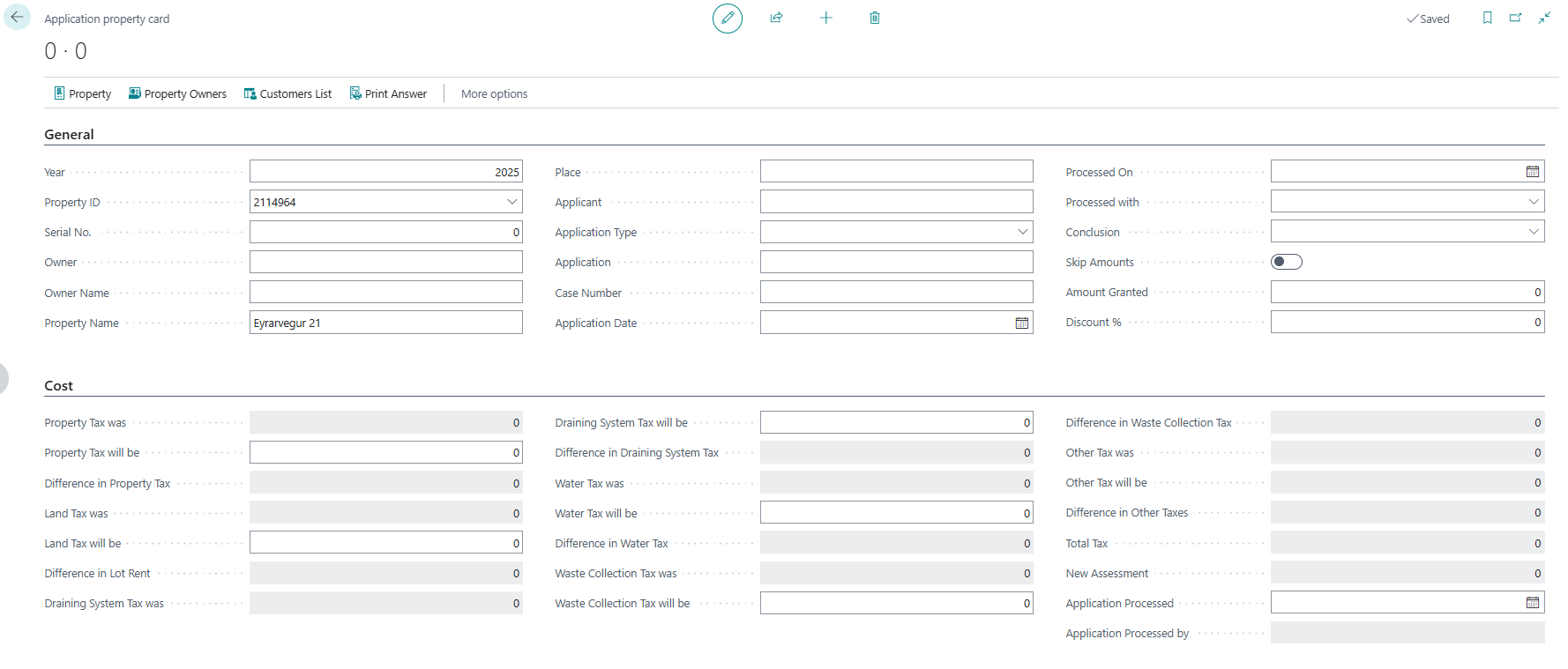
In the Print Answer, you can print the Application along with the charges before and after the change.